-
-
Notifications
You must be signed in to change notification settings - Fork 3k
zh use knowledge base
github-actions[bot] edited this page Sep 15, 2026
·
5 revisions
Tip
需要 AstrBot 版本 >= 4.5.0。
我们在 4.5.0 版本中重新设计了全新的知识库系统,AstrBot 将原生支持知识库功能。下文介绍的是新版知识库的使用方法。如果您使用的是之前的版本,请参考旧版知识库使用文档,我们建议您升级到最新版以获得更好的体验。
打开 模型提供商(/providers),切换到 嵌入 标签,点击 新增,选择所需的提供商类型。
目前 AstrBot 支持兼容 OpenAI API 和 Gemini API 的嵌入向量服务。
在左侧选择提供商,在右侧填写 API 地址、API Key、模型名称等配置。
配置完成后,点击保存。
重排序模型可以一定程度上提高最终召回结果的精度。
和嵌入模型的配置类似,打开 模型提供商,切换到 重排序 标签,点击 新增,选择所需的提供商类型并保存配置。
AstrBot 支持多知识库管理。在聊天时,您可以自由指定知识库。
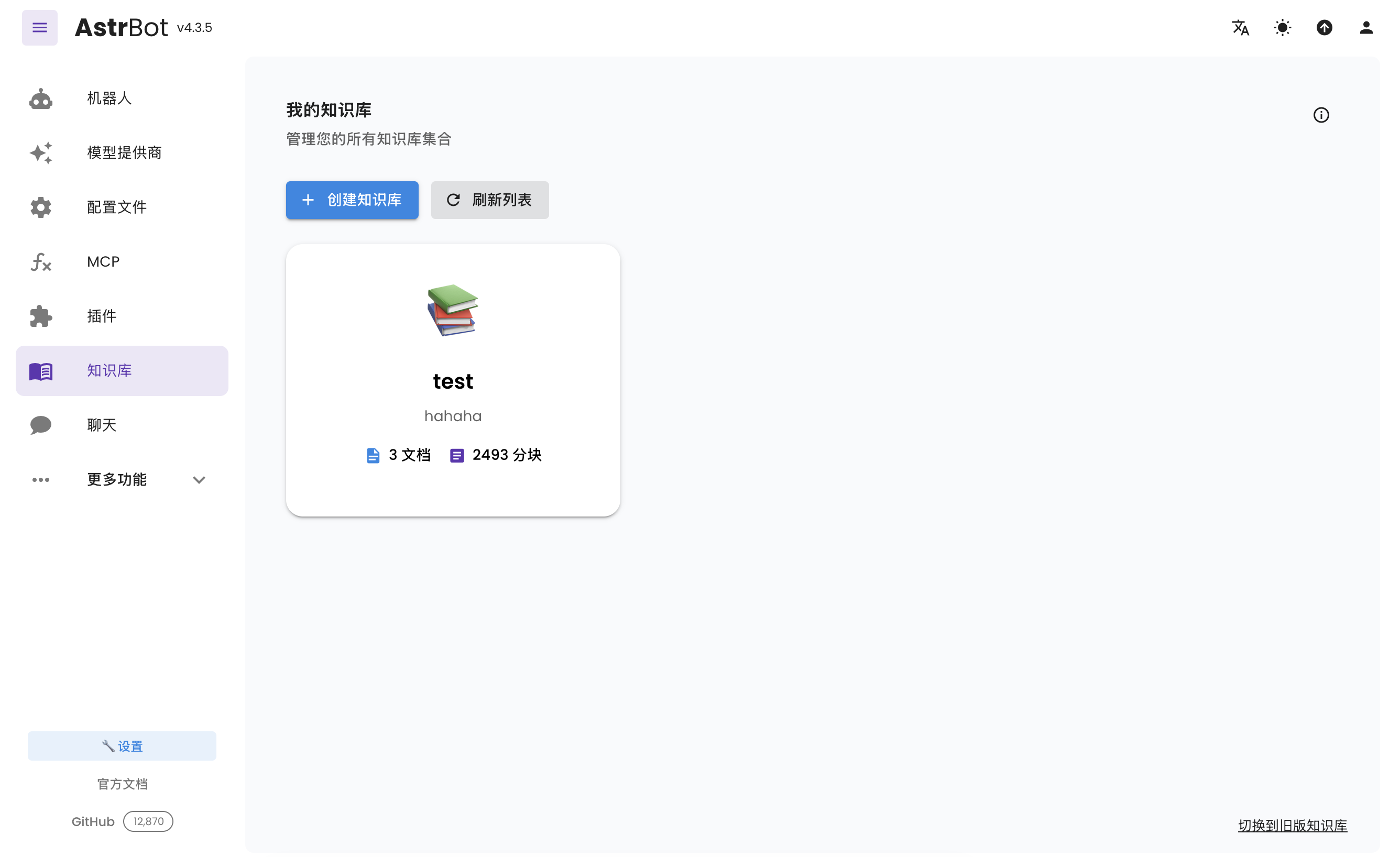
打开侧边栏的 知识库(/knowledge-base),点击 创建知识库。
填写名称等信息,在 嵌入模型 中选择刚创建的嵌入模型;如需重排序,在单独的 重排序模型(可选) 中选择模型,然后点击 创建。
Tip
一旦选择了一个知识库的嵌入模型,请不要再修改该提供商的模型或者向量维度信息,否则将严重影响该知识库的召回率甚至报错。
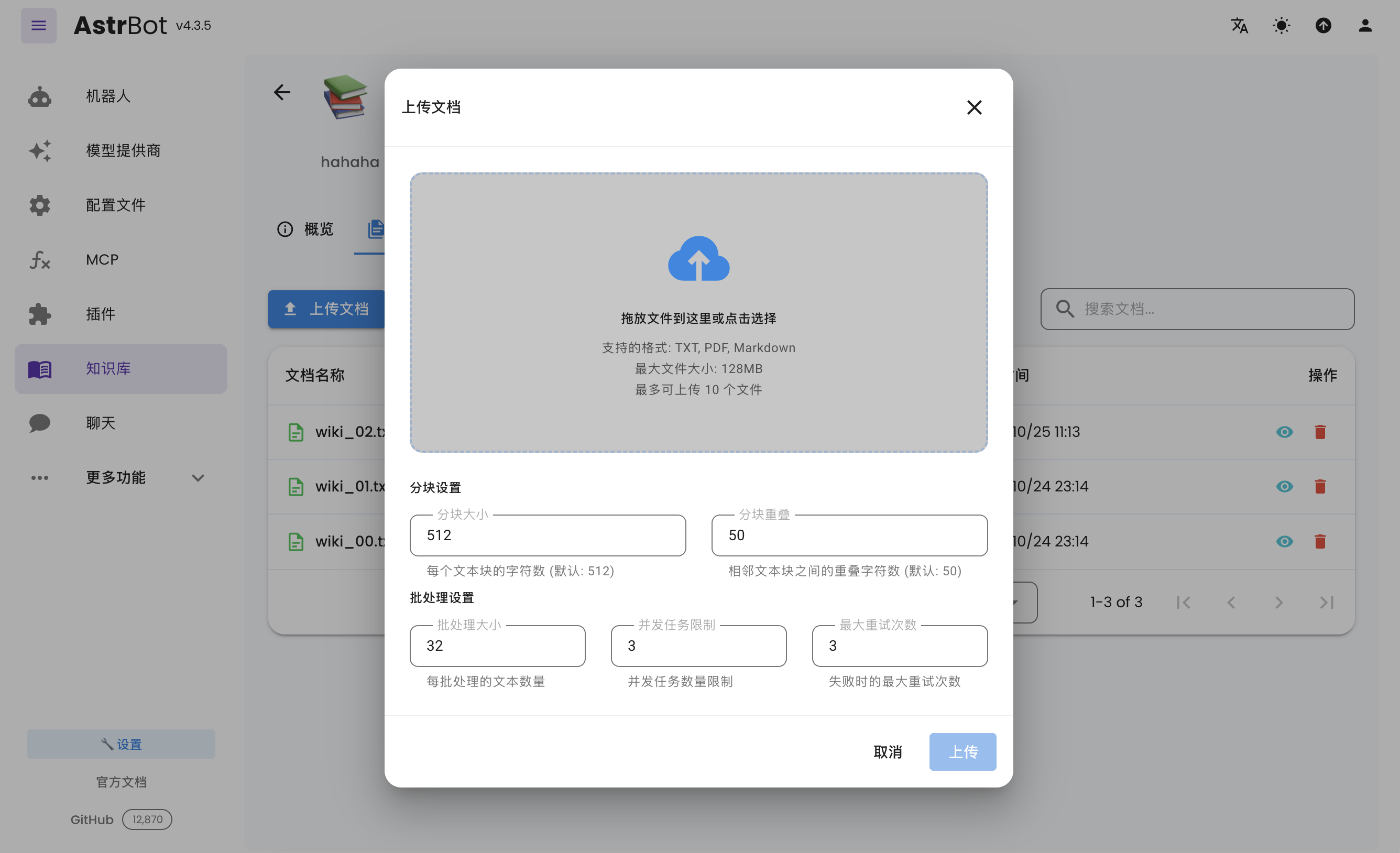
创建好知识库之后,可以为知识库上传文档。支持同时上传最多 10 个文件,单个文件大小不超过 128 MB。
打开 配置文件,选择要修改的配置文件,在 AI 配置 → 能力 → 知识库 中选择要使用的知识库,点击右下角的 保存配置。不同配置文件可以使用不同的知识库。
截止至 2026 年 5 月 3 日,BAAI/bge-m3 模型在该平台免费。
- 首页
- 文档入口
- Top Level
- community events
- deploy
- dev
- others
- platform
- 接入 OneBot v11 协议实现
- 接入钉钉 DingTalk
- 接入 Discord
- 接入 Kook
- 接入飞书
- 接入 LINE
- 接入 Matrix
- 接入 Mattermost
- 接入 Misskey 平台
- 接入 QQ 官方机器人平台
- 通过 QQ官方机器人 接入 QQ (Webhook)
- 通过 QQ官方机器人 接入 QQ (Websockets)
- 接入 Satori 协议
- 接入 server-satori (基于 Koishi)
- 接入 Slack
- 接入消息平台
- 接入 Telegram
- 接入 VoceChat
- AstrBot 接入企业微信
- 接入企业微信智能机器人平台
- AstrBot 接入微信公众平台
- 接入个人微信
- providers
- use
- Home
- Docs Entry
- Top Level
- config
- deploy
- Deploy AstrBot on 1Panel
- Deploy AstrBot on BT Panel
- Deploy AstrBot on CasaOS
- Deploy AstrBot from Source Code
- Community-Provided Deployment Methods
- Deploy via Compshare
- Deploy with AstrBot Desktop Client
- Deploy AstrBot with Docker
- Deploy AstrBot with Kubernetes
- Deploy AstrBot with AstrBot Launcher
- Other Deployments
- Package Manager Deployment (uv)
- Installation via System Package Manager
- Preface
- dev
- AstrBot Configuration File
- API Scope–Endpoint Reference
- AstrBot HTTP API
- AstrBot Plugin Market JSON Specification
- Developing a Platform Adapter
- plugin
- AI
- Text to Image
- Handling Message Events
- Plugin Configuration
- Plugin Internationalization
- Plugin Views
- Sending Messages
- Session Control
- Minimal Example
- Plugin Storage
- AstrBot Plugin Development Guide 🌠
- Publishing Plugins to the Plugin Marketplace
- ospp
- others
- platform
- Connect OneBot v11 Protocol Implementations
- Connect to DingTalk
- Connecting to Discord
- Connect to KOOK
- Connecting to Lark
- Connecting to LINE
- Connecting to Matrix
- Connecting to Mattermost
- Connecting to Misskey Platform
- Connect QQ Official Bot
- Connect QQ via QQ Official Bot (Webhook)
- Connect QQ via QQ Official Bot (Websockets)
- Connect to Satori Protocol
- Connect server-satori (Koishi)
- Connecting to Slack
- Messaging Platforms
- Connecting to Telegram
- Connect to VoceChat
- Connect AstrBot to WeCom
- Connect to WeCom AI Bot Platform
- Connect AstrBot to WeChat Official Account Platform
- Connect Personal WeChat
- providers
- Connect 302.AI
- Agent Runners
- Built-in Agent Runner
- Connect to Coze
- Connect to Alibaba Cloud Bailian Application
- Connect to DeerFlow
- Connect to Dify
- Connect AIHubMix
- coze
- dashscope
- dify
- Model input images
- Large Language Model Providers
- Connect MiraRouter
- NewAPI
- Connect PPIO Cloud
- Connect LM Studio to Use DeepSeek-R1 and Other Models
- Integrating Ollama
- Connect ShengSuanYun
- Connecting to SiliconFlow
- Connecting Model Services
- Connecting to TokenPony
- use
- Agent Runner
- Agent Sandbox Environment ⛵️
- astrbot sandbox
- CLI Commands
- Docker-based Code Interpreter
- Built-in Commands
- Computer Use
- Context Compression
- Custom Rules
- Function Calling
- AstrBot Knowledge Base
- MCP
- AstrBot Star
- Proactive Capabilities
- Anthropic Skills
- Agent Handoff and SubAgent
- Unified Webhook Mode
- Web Search
- WebUI

