




SubSignature is a lightweight, self-hosted and central email signature management & email signature generator built with PHP and SQLite. It helps organizations manage and standardize email signatures without complex database setups or paid cloud services.
The focus is privacy and security. The application runs entirely on your server: no CDNs, no external fonts, no telemetry. All assets are hosted locally.
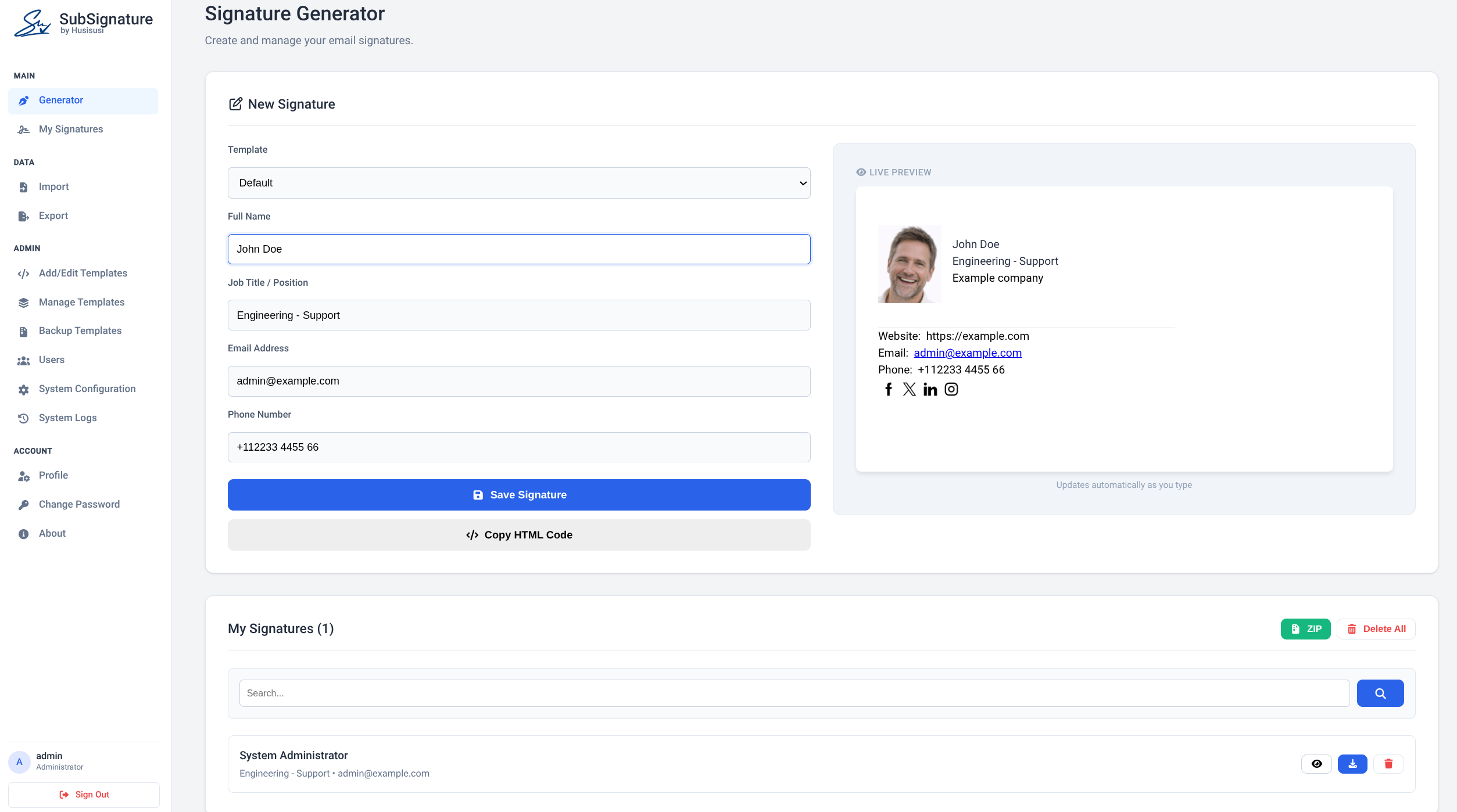
Generator Interface
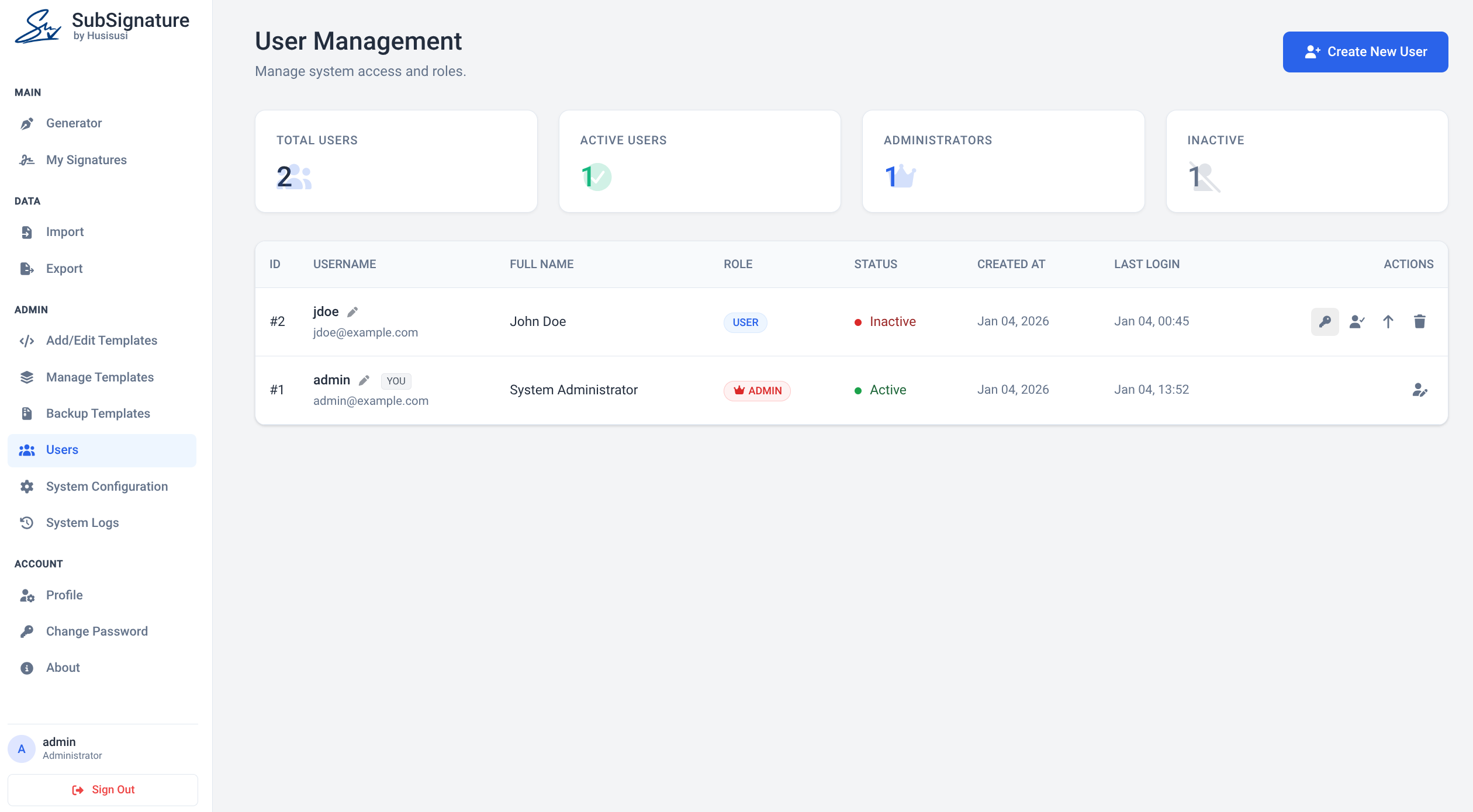
User Management
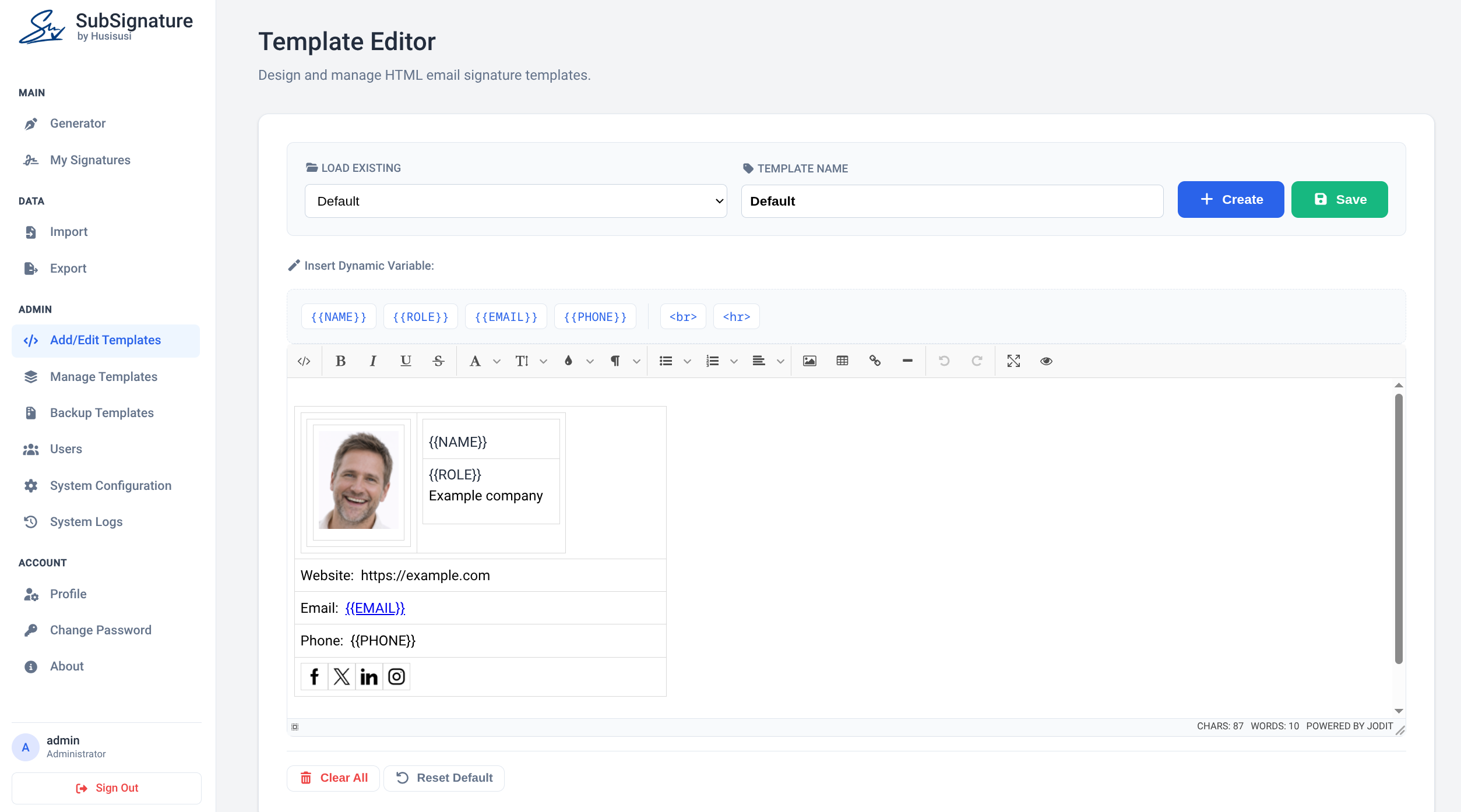
Template Editor
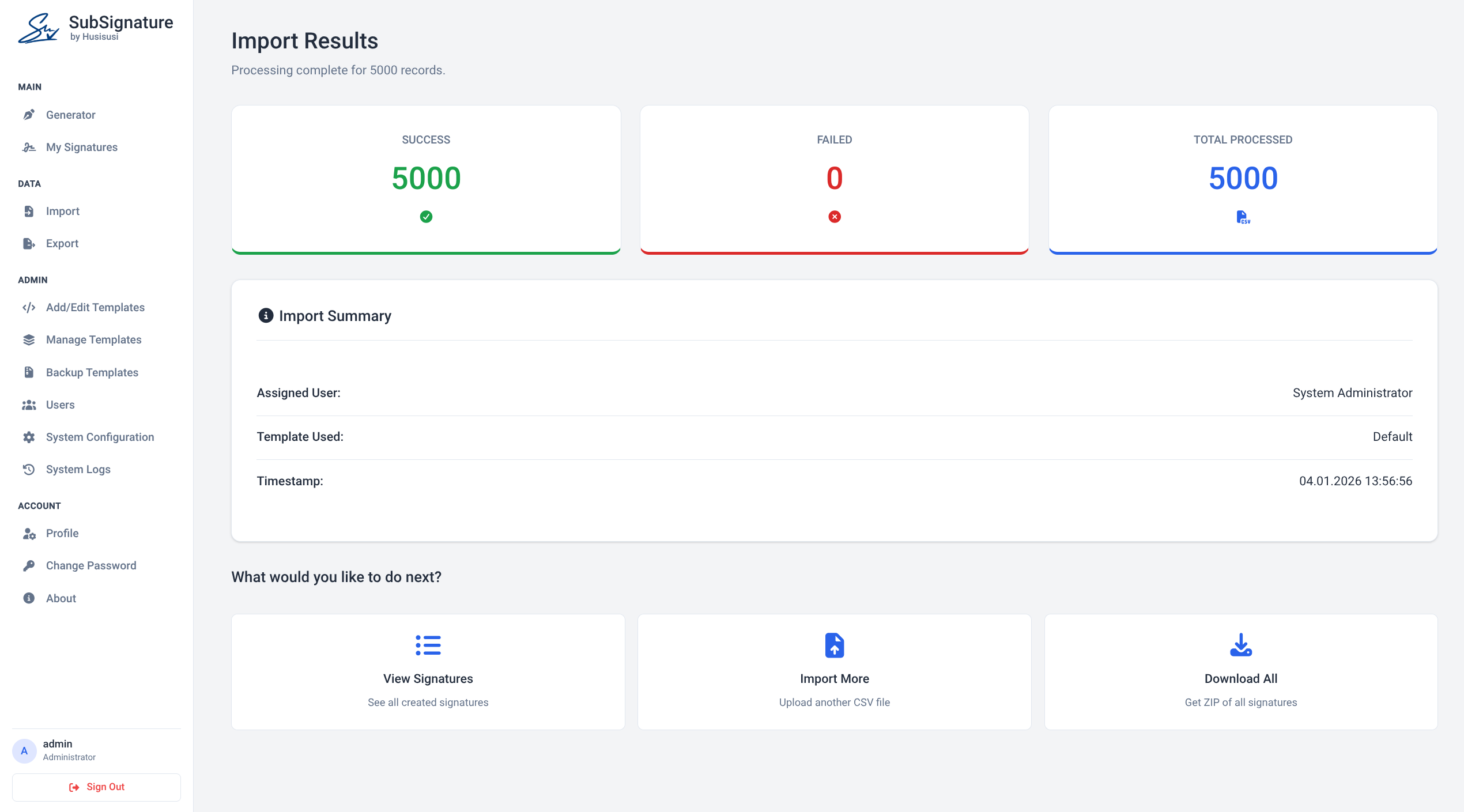
Import CSV
- Signature generator with live preview and multiple, editable HTML templates (placeholders:
{{NAME}},{{ROLE}},{{EMAIL}},{{PHONE}},{{PHONE_CLEAN}}). - Template editor (WYSIWYG + code editor), image manager, template backup (ZIP).
- Signature rollout: administrators and technicians can send signatures to users by email (SMTP).
- User management with three roles (administrator / technician / user), activation, optional self-registration. See Roles.
- All Signatures overview (sidebar): search, filter by user, template, tag and source (manual / CSV / LDAP), sort, bulk actions (delete, send, change template, add or remove tags), inline edit of a single signature, and a sync-status badge per signature: up to date or out of date, counted per device ("2/3 up to date"). See All Signatures.
- CSV import / export of signatures (delimiter
,or;, formula-injection safe export); administrators and technicians can put a tag on every imported signature. - LDAP / Active Directory import of signatures from directory data with selection in a preview, target user and template (import only, no accounts are created, no LDAP login). See LDAP import.
- API with bearer tokens for the desktop agent (Windows + Linux, already built): reads signatures for Outlook and Thunderbird, and reports back per-signature sync status. Fine-grained token scopes (
signatures:read,status:write). See API. - 18 languages (English, Deutsch, Español, Français, Italiano, Português, Nederlands, Polski, Türkçe, Русский, Українська, العربية (RTL), हिन्दी, Bahasa Indonesia, 中文, 日本語, 한국어, Bosanski): one JSON file per language in
public_html/lang/, automatic detection from the browser, switcher in the sidebar and on the login page, per-user choice, system-wide default. See Languages. - Company-wide placeholders
{{COMPANY}},{{WEBSITE}},{{ADDRESS}},{{DISCLAIMER}}: maintained once in Admin -> Configuration and filled into every signature. - System status panel (Admin -> Configuration): PHP version and extensions, writable directories, data directory outside the web root, secret key, installer leftovers.
- Light, dark and system theme: switch in the sidebar (or top right on the login page); the choice is remembered per browser, "system" follows the operating system. Signature previews always stay on white. Static files are versioned automatically (
?v=<mtime>), so a new release shows up without clearing the browser cache. - Security by default: CSRF protection, strict CSP, hardened sessions, brute-force protection, encrypted secrets, audit log. See Security.
- Self-hosted, SQLite: no MySQL/PostgreSQL required.
- PHP 7.4 or newer (tested with 8.x), with the extensions
sqlite3,mbstring,fileinfo,zip, andopensslorsodium. - Optional: the
ldapextension for the LDAP import (apt install php-ldap). - Apache 2.4 with
mod_rewriteandmod_headers(the shipped.htaccessis written for it). Nginx works with equivalent rules, see Hardening. - HTTPS (strongly recommended; required for the API).
-
Upload the project. The recommended layout keeps
private_data/outside the web root:/var/www/subsignature/ ├── private_data/ <- database, secret key, logs, sessions (writable by the web server) └── public_html/ <- document rootIf you cannot place it outside the web root,
private_data/.htaccessdenies all access (Apache). Alternatively set the environment variableSUBSIG_DATA_DIRto any directory outside the web root. -
Make
private_data/writable by the web server user (for examplechown -R www-data: private_data && chmod 750 private_data). -
Open
install.phpin your browser to create the database and the first administrator. The installer locks itself as soon as an administrator exists; deletinginstall.phpafterwards is still a good idea. -
Log in and configure SMTP and options under Configuration.
Copy private_data/config.local.php.example to private_data/config.local.php:
| Constant | Purpose |
|---|---|
TRUSTED_PROXIES |
IPs of reverse proxies whose X-Forwarded-* headers are trusted. Leave empty if there is no proxy. |
FORCE_HTTPS |
Redirect HTTP to HTTPS. |
API_ALLOW_HTTP |
Allow the API over HTTP (testing only). |
LOG_RETENTION_DAYS |
Retention of audit and login logs (default 180). |
Back up the whole private_data/ directory including secret.key. The key encrypts the SMTP and LDAP passwords stored in the database; without it these values cannot be recovered (you would have to enter them again). Keep the key and the database backups in the same secure place, never in the web root.
Admin → LDAP Import creates signatures from directory data (name, role, email, phone) and assigns them to existing SubSignature users. It is an import only: no user accounts are created and directory users cannot log in with their directory password.
Workflow: configure → Test connection → Preview → choose entries, target user, template and an optional tag → Import selected. A green Import successful summary (created / updated / unchanged / tagged) is shown afterwards. Nothing is written before you have reviewed the preview, and the import runs in a single database transaction.
In the preview you can
- select exactly the entries to import (checkboxes, filter by name or email, Select all, Only new and changed, Select none),
- choose with a dropdown which SubSignature user receives the signatures: one specific user, or Automatically by email address (each signature goes to the active user with the same email address; entries without a matching user are skipped),
- choose the template the new signatures use (default: the system default template),
- optionally put a tag (existing or new) on every imported signature, so the batch can be found again under All Signatures,
- sort the table by clicking a column header (status, name, email, role, phone, assigned user); your selection is kept while sorting,
- optionally apply the chosen template to signatures that were imported before,
- change target or template and click Update preview - the directory is not queried again.
| Setting | Notes |
|---|---|
| Directory type | Presets for Active Directory (sAMAccountName, mail, displayName, objectGUID, title, telephoneNumber) and OpenLDAP/generic (uid, mail, cn, entryUUID). Every attribute can be changed, so any other attribute (mobile, department, co, ...) can be mapped. |
| Encryption | LDAPS (default, port 636) or STARTTLS. Certificates are verified by default; a private CA file can be configured. Plain LDAP is possible but not recommended. |
| Bind account | Use a read-only service account. Its password is stored encrypted. |
| Base DN / filter | The AD default filter excludes disabled accounts. |
| Assign signatures to | Default target in the preview (a user or Automatically by email address). |
| Template | Default template for new imported signatures. |
Re-import behaviour:
- Imported signatures are marked
source = ldapand remember the directory's unique ID (or the DN if the ID attribute is empty). Importing again updates them instead of creating duplicates; unchanged entries are reported as Unchanged. - Signatures that were created manually or by CSV import are never modified.
- Signatures are never deleted by the import.
- At most 5000 directory entries are read per run; a notice is shown if the result was truncated (narrow the filter or base DN).
Safety rules built into the importer:
- The target of a signature is always an existing, active user; directory data can never create users or change roles.
- Changing the server, port, encryption, certificate check, CA file or bind account requires typing the bind password again (the stored password is never carried over to another server). This also stops a technician from redirecting the service account to a server of their own.
- Names, emails and phone numbers are validated; invalid values are dropped or the entry is skipped with a reason. Duplicate directory entries (same ID or same email) are skipped.
- The preview plan is stored server side (random token, bound to the administrator, 30 minutes); the apply step re-checks everything inside a transaction.
- Paged search, referrals disabled, binary attributes are never interpreted as text.
If the PHP ldap extension is missing, the page shows a notice; the settings can still be edited.
All Signatures (sidebar) lists signatures and combines the following filters; the state is kept in the URL, in the infinite scroll and after every action:
| Filter | Notes |
|---|---|
| Search | Name, email or role. |
| User | Administrators and technicians can pick one user or All Users; normal users only ever see their own signatures. |
| Template | Lists the templates that are actually used, with a count. A click on the template badge of a signature filters by it. |
| Tag | A tag, All tags or Without tag. |
| Source | Manual, CSV import or LDAP import (the badge on each signature is clickable too). |
| Sort | Newest / oldest first, name, email or template. |
Tags are coloured labels (for example Sales, Management, To review) that administrators and technicians create under Manage tags (1-32 characters, 8 colours, max. 100 tags). Select signatures, choose a tag and click Add tag / Remove tag. Normal users see the tags of their own signatures read-only. Deleting a tag removes it from all signatures; the signatures stay.
Bulk actions on the selected signatures: Send, Delete, Change template (administrators and technicians for any signature, users for their own), Add tag / Remove tag (administrators and technicians). Delete All removes exactly the signatures the current filter shows.
Editing a single signature: the pencil icon on a signature opens an edit dialog (name, role, email, phone, template; administrators and technicians can also change its tags there). Users may edit their own signatures, administrators and technicians any signature within their scope - the same ownership rule enforced everywhere else applies on the actual save, not only in the form that is shown. Editing an LDAP-sourced signature shows a warning that the next LDAP re-import will overwrite manual changes.
Sync status: each signature carries a coloured badge showing whether the desktop agents have the current version. Every agent installation (device) that applied the signature is tracked on its own:
| Badge | Meaning |
|---|---|
| Grey - Never synced | No device has reported this signature. |
| Green - Up to date / 2/2 up to date | Every device has applied the current version and reported within the freshness window. |
| Yellow - Out of date / 1/3 up to date | At least one device still has an older version, has not reported for a while (No recent sync) or reported a warning. |
| Red | At least one device reported an error applying it. |
"Current version" means the exact HTML the API serves right now: as soon as you edit a signature - or its template, or the company details - every device turns Out of date until its next agent run fetches and applies the new version, then it turns green again. With one device the badge names its state, with several it counts them (2/3 up to date).
Hover over the badge for a summary, or click it for a list of all devices with their state, last report time, agent version and message. Two settings under Admin → Configuration: the freshness window (default 6 hours) and after how many days a silent device is forgotten (default 30, e.g. a replaced laptop). Only agents with a token that has the status:write scope report - see below.
A Go agent for Windows and Linux (already built, see subsignature-agent/ in the repository) fetches signatures from the server, installs them in Outlook and Thunderbird, and reports back whether each install succeeded. The server side:
- Create a token under Admin → API Tokens with the scopes it needs:
signatures:readto fetch signatures,status:writeto push sync status (a token can have either, both, or be revoked independently of others). Optional expiry, revocable, only the hash is stored. GET /api/v1/signaturesreturns rendered, sanitized HTML plus the raw fields, a plain-text variant and a hash for change detection; filtersusername,email,updated_since, paging.POST /api/v1/statuslets the agent report per signatureok/warn/errorplus the version it applied (html_sha256), per device (feeding the sync-status badge above) - a narrow write that can only store status rows, never signature content, and needs its own scope so a read-only token cannot be used to fake a status report.- HTTPS only, rate limited (separate limits for reading and for status reports), no session or cookie involved.
Full documentation with implementation notes for the agent: docs/API.md.
The interface language is chosen in this order: the user's saved choice (cookie / profile), the browser's Accept-Language header, the default language set by the administrator (Admin -> Configuration), English. Missing translations fall back to English, so a partly translated language never breaks a page. Arabic is rendered right-to-left.
Each language is a single file public_html/lang/<code>.json (en, de, es, fr, it, pt, nl, pl, tr, ru, uk, ar, hi, id, zh, ja, ko and bs = Bosanski). To add or improve a language see docs/TRANSLATING.md; a command line helper (php tools/i18n.php) creates, syncs and checks the files. The shipped translations are machine-quality and welcome a review by native speakers (pull requests are appreciated).
| Area | Administrator | Technician | User |
|---|---|---|---|
| Generator, own signatures, own profile and password | yes | yes | yes |
| All Signatures of all users (filter, bulk actions, delete, change template), tags | yes | yes | own only |
| CSV import / export and ZIP download for any user | yes | yes | own only |
| Send signatures by email | yes | yes | no |
| Templates (editor, import, rename, default, delete), images, template backup | yes | yes | no |
| LDAP import (settings, preview, import) | yes | yes | no |
| API tokens | yes | yes | no |
| Users (create, roles, passwords, activate, delete, other profiles) | yes | no | no |
| System Configuration (SMTP, company details, security settings, status) | yes | no | no |
| System Logs (audit log, mail log) | yes | no | no |
- Administrator: everything. Creates users and assigns roles; the last active administrator can never be demoted, deactivated or deleted.
- Technician: runs the day-to-day tooling (templates, images, LDAP import, API tokens, rollout, all signatures) but cannot see or change users, roles, passwords, the system configuration or the logs. The role is assigned by an administrator under Users -> Change role or when creating a user; self-registration always creates a normal user.
- User: generates and manages their own signatures from the available templates, imports/exports their own data.
Rights are enforced on the server for every page and every action (not only by hiding menu entries); the role is re-read from the database on every request, so a change takes effect immediately. A technician who opens an administrator page is redirected and the attempt is written to the audit log.
An overview of the protections and the results of the security review is in docs/SECURITY_REVIEW.md. Highlights:
- All state-changing actions use POST with a CSRF token; no destructive GET requests.
- Strict Content-Security-Policy,
X-Frame-Options: DENY,nosniff, HSTS on HTTPS; the template preview is sandboxed. - Sessions: private session directory,
HttpOnly,SameSite=Strict,Secureon HTTPS, ID regeneration on login, idle timeout (15 min) and absolute lifetime (8 h); role and active flag are re-checked in the database on every request; a password change signs out all other sessions. - Login throttling per IP and per username (database backed), equalized timing for unknown users.
- Passwords hashed with bcrypt, a password policy is enforced everywhere.
- Role-based access control (administrator / technician / user) enforced server-side on every page and action; privileged areas (users, system configuration, logs) are administrator-only.
- All output is escaped; template HTML is sanitized on the server (tokenizer based, attributes are rebuilt, URL schemes are allow-listed) and in the browser.
- SMTP and LDAP passwords are encrypted at rest (libsodium or AES-GCM).
- CSV export neutralizes spreadsheet formulas; CSV import is size- and row-limited.
- Audit log of security-relevant events with retention.
- Serve the application over HTTPS only and set
FORCE_HTTPSif you terminate TLS yourself. - Keep
private_data/outside the document root. - Run PHP with
expose_php=Off,display_errors=Off,session.use_strict_mode=1. - Restrict access to the admin pages by network (VPN / IP allow list) if possible.
- Give the technician role only to people you trust with template editing, LDAP import settings and API tokens; a technician can write templates that every user sees, and can create tokens that read all signatures.
- Use a dedicated read-only LDAP service account and LDAPS with certificate verification.
- Nginx: deny
/includes/,/templates/,/lang/, dotfiles and*.db|*.log|*.key; forward theAuthorizationheader (fastcgi_param HTTP_AUTHORIZATION $http_authorization;); route/api/v1/*toapi/v1/index.php; sendCache-Control: no-cachefor*.cssand*.js(the Apache.htaccessdoes this already). - Report vulnerabilities privately (GitHub security advisories) instead of opening a public issue.
- Jodit Editor (MIT): WYSIWYG editor for template creation.
- Ace Editor (BSD-3-Clause): standalone code editor written in JavaScript.
- Font Awesome Free (Icons CC BY 4.0, Fonts SIL OFL 1.1, Code MIT): UI icons, hosted locally.
- macOS support for the desktop agent (currently Windows and Linux; see
subsignature-agent/). - Optional LDAP import scheduling (cron/CLI).
Contributions are welcome! If you find a bug, please open an issue. If you find this project useful, please give it a star ⭐.
MIT, see LICENSE.