
A CLI tool that orchestrates structured, turn-based conversations between Claude Code and Codex CLIs. Agents debate a topic, implement changes in an isolated git worktree, review each other's work, and open a PR — all while you watch in a browser UI.
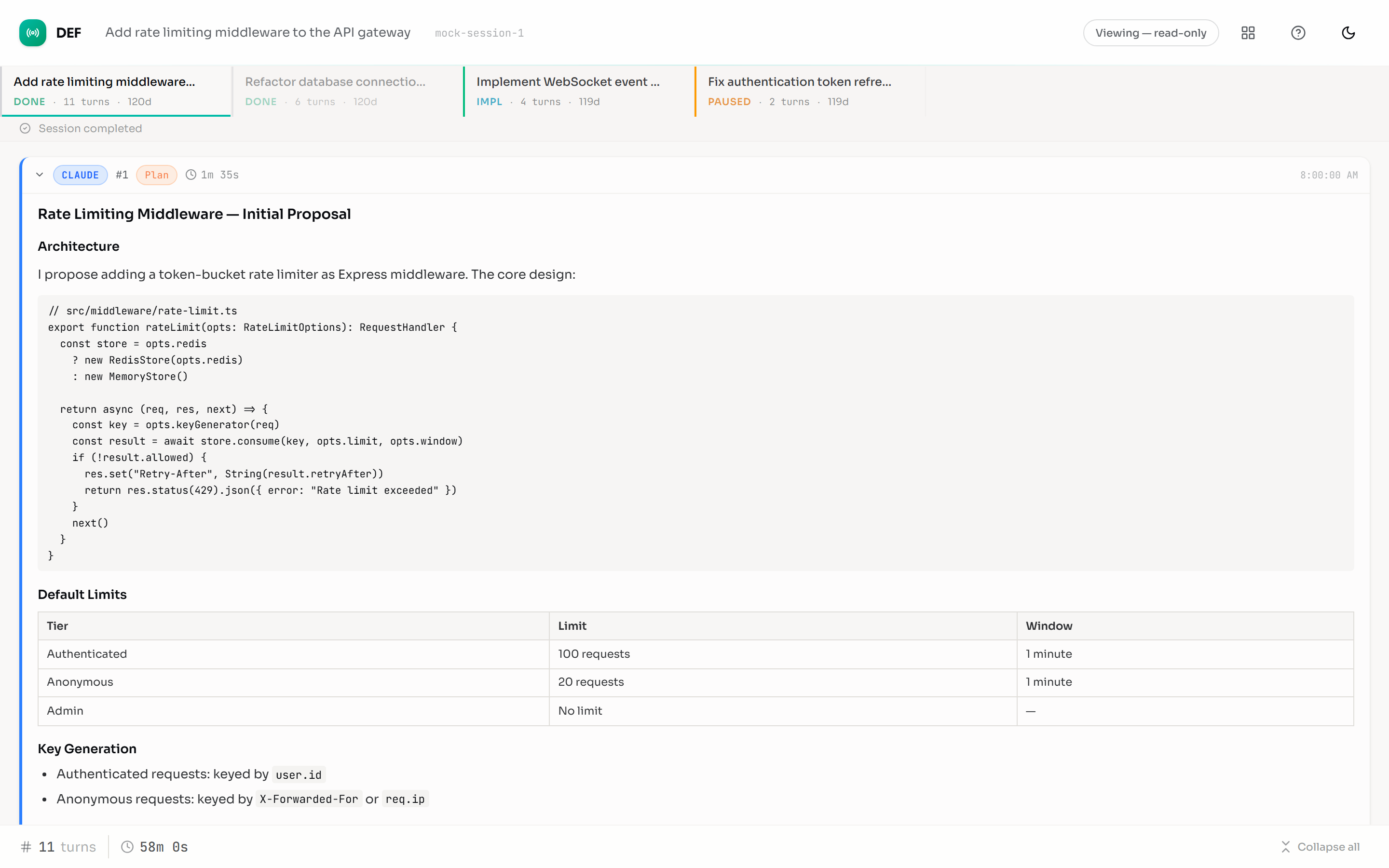
npm install -g @daviseford/defOr run without installing:
npx @daviseford/def "your topic"- Node.js 20+
- Claude Code CLI (
claude) — installed and authenticated - Codex CLI (
codex) — installed and authenticated (requires ChatGPT Pro) - GitHub CLI (
gh) — installed and authenticated (for automatic PR creation) - Both agent CLIs available on PATH
Run def from any git repo:
cd ~/Projects/my-app
def "plan a REST API for user management"
This creates a .def/ session directory in the target repo, starts the agent loop, and opens a watcher UI in your browser.
--topic <string>              Conversation topic (required, or pass as positional args)
--mode <string>               edit (default) or planning (debate-only, no implementation)
--max-turns <number>          Maximum turns, 1-100 (default: 20)
--first <agent>               Which agent goes first (default: claude)
--impl <agent>                Which agent implements (default: claude)
--agents <a,b>                Comma-separated agent list (e.g., claude,codex or claude,claude)
--review-turns <number>       Max review/fix cycles, 1-50 (default: 6)
--no-pr                       Skip automatic PR creation (keeps changes local)
--no-fast                     Disable fast-mode agent tiering
--no-worktree                 Skip worktree creation (run in-place)
--help, -h                    Print usage and exit
--version, -v                 Print version and exit
# Quick start
def "add dark mode to the dashboard"

# Planning-only session, Codex goes first
def "Design a caching layer for the API" --mode planning --first codex

# Limit to 6 turns, use Codex for implementation
def --topic "Refactor auth module" --max-turns 6 --impl codex

# Self-debate (Claude vs Claude)
def --topic "Design a caching layer" --agents claude,claude

# Skip automatic PR creation
def --topic "Fix error handling in src/api/" --no-pr

# Avoid using worktrees
def --topic "Implement docs/feature-01.md" --no-worktreedef history # List past sessions
def history --json # List sessions as JSON
def show <session-id> # Show session details
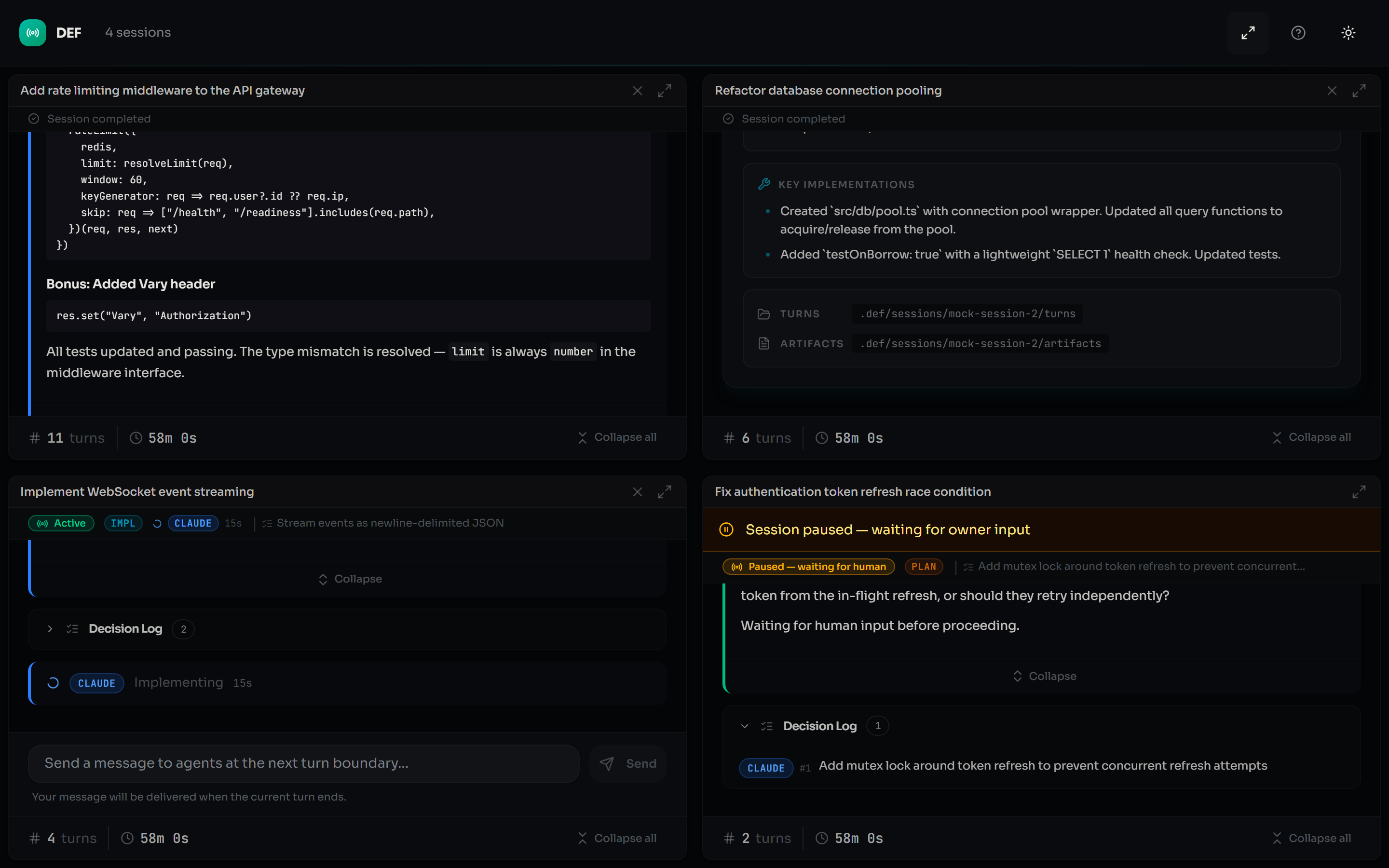
def explorer # Standalone multi-session browser UIThe explorer opens a browser dashboard that discovers sessions across all repos on your machine, showing live progress for active sessions and browsable history for completed ones.
In the default edit mode, DEF will:
- Validate prerequisites -- checks that agent CLIs, git, and
ghare installed and authenticated before spending any API credits. - Create a git worktree on a new branch (
def/<id>-<topic-slug>) so your working tree stays clean. - Run the agent debate loop by invoking the
claudeandcodexCLIs. Usage counts against your existing CLI subscriptions. - Commit changes to the worktree branch after implementation.
- Push the branch and open a draft PR on GitHub via
gh.
Use --no-pr to skip push/PR creation, or --mode planning for debate-only sessions with no repo changes.
Sessions progress through three phases:
Agents alternate turns debating the topic. When both agents signal status: decided, consensus is reached and the session advances. In planning mode, the session ends here.
In edit mode, a git worktree is created on a new branch (def/<id>-<topic-slug>). The implementing agent (set by --impl) gets full tool access and makes changes directly. The orchestrator captures a git diff after each implementation turn.
The non-implementing agent reviews the changes. It can approve (verdict: approve) or request fixes (verdict: fix), cycling back to implement. This repeats until approval or the --review-turns limit is reached.
DEF uses three model tiers to balance quality and cost:
| Tier | Claude | Codex | Used for |
|---|---|---|---|
| Full | Opus | GPT-5.4 | Plan debate, implementation |
| Mid | Sonnet | — | Review phase |
| Fast | Haiku | GPT-5.1 Codex Mini | Consensus confirmation |
Use --no-fast to force all turns to the full tier.
When the session completes with changes on the branch, DEF automatically pushes the branch and creates a draft PR on GitHub via the gh CLI. The PR body includes the topic, decisions log, commit history, and diffstat. Use --no-pr to skip this.
When the session starts, a URL is printed to the terminal:
Watcher UI: http://localhost:49152
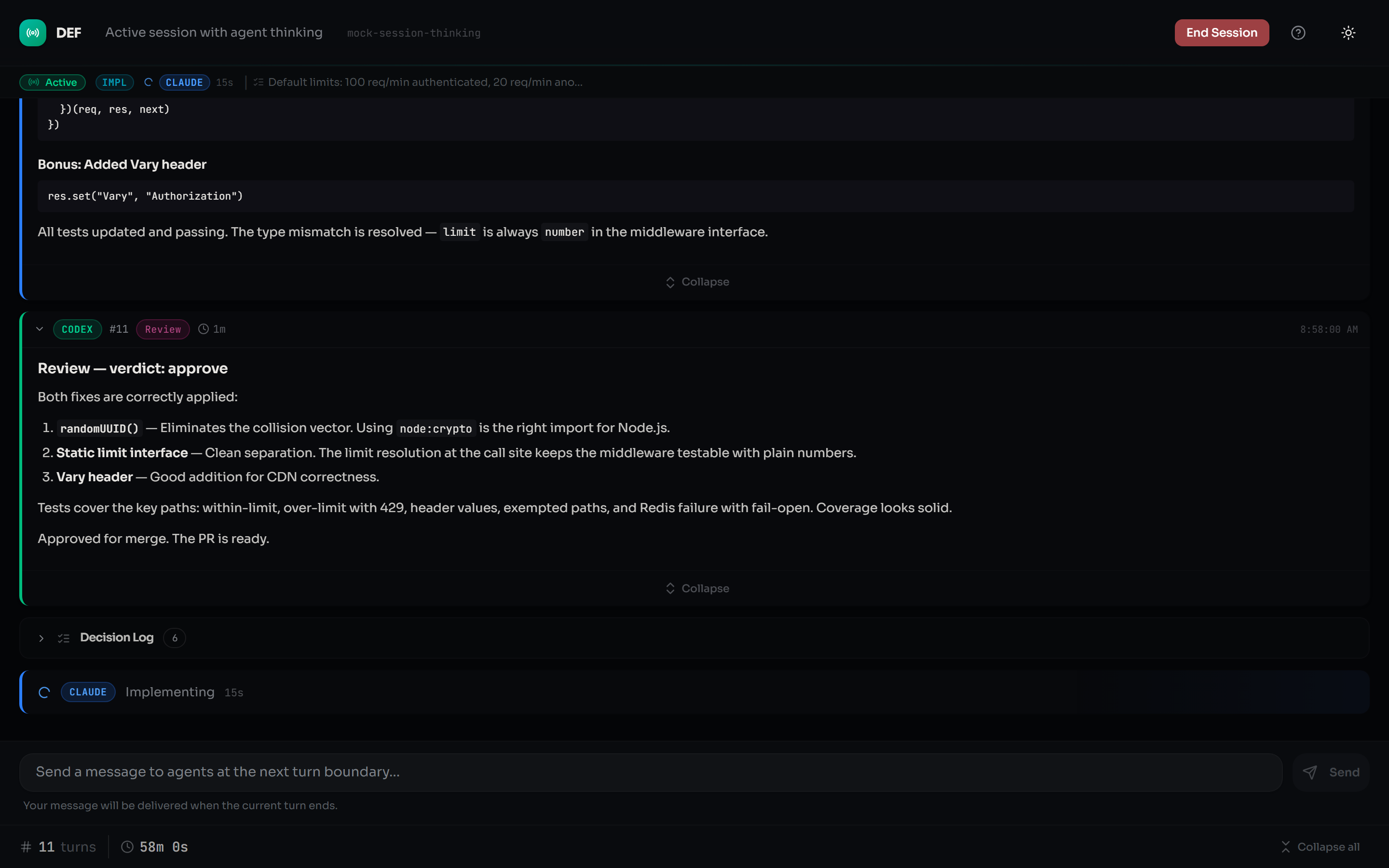
Open it in a browser to:
- Watch the conversation in real time
- Type a message to interject at the next turn boundary
- Respond to agent escalations (
status: needs_human) - End the session cleanly via the End Session button
DEF spawns agent CLIs as child processes with --dangerously-skip-permissions (Claude Code) and --full-auto (Codex). This is required for unattended orchestration — the agents need to read, write, and run commands without interactive permission prompts.
The risk is mitigated by:
- Worktree isolation. Implementation runs in a disposable git worktree on a new branch, not your working tree. Your uncommitted work is never touched.
- Phase-scoped tool access. During plan and review phases, agents get read-only access (file reads, git history, GitHub queries). Full tool access is only granted during the implement phase.
- Localhost-only server. The watcher UI binds to
127.0.0.1with host/origin validation, directory traversal protection, and CSRF defenses. - No credentials passed. DEF never reads or forwards your API keys. Agents authenticate through their own CLI configurations.
If you're uncomfortable with unattended agent execution, use --mode planning for debate-only sessions where agents have read-only access throughout.
Clone the repo and install dependencies:
git clone https://github.com/daviseford/dueling-experts-framework.git
cd dueling-experts-framework
npm install
The prepare script automatically installs UI dependencies and builds the watcher UI.
npm start -- --topic "Your topic"    # Run via tsx (dev mode)
npm test                              # Run tests
npm run typecheck                     # Type-check with tsc --noEmit
npm run build                         # Compile TS to dist/
npm run build:ui                      # Build watcher UI
npm run dev:ui # Dev UI with hot reloadMIT