
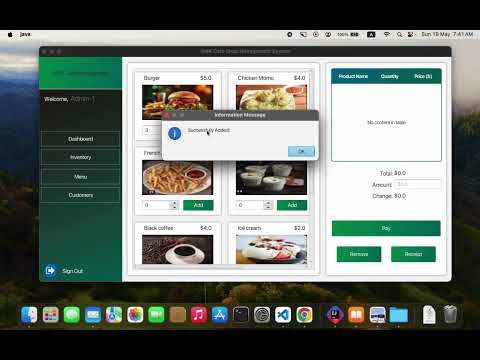
The Cafe Shop Management System is a Java application developed to streamline the operations of cafe shops. It provides a comprehensive solution for managing orders, tracking inventory, scheduling employees, and analyzing performance.
- Order Management: Efficiently process and track customer orders.
- Inventory Tracking: Manage inventory levels and stock replenishment.
- Employee Scheduling: Schedule shifts and manage workforce.
- Performance Analysis: Analyze sales data and operational performance.
- User-friendly Interface: Intuitive GUI for easy navigation.
To run the Cafe Shop Management System locally, follow these steps:
-
Clone the Project Repository: Download zip folder to your local machine.
-
Navigate to the Project Directory: Open a terminal or command prompt and navigate to the directory where you saved the project.
-
Build the Project: If you're using Maven, run the following command to build the project:"mvn clean package"
or you can click run button.
- Run the Application: Once the project is built, you can run the application using the following command:"java -jar target/CafeShopManagementSystem.jar"
or you can click run button.
- Please add given "lib" in your intelij idea
- Java(openjdk-22)
- JavaFX(sdk-21.2)
- JDBC
- Apache Maven
- Online Ordering System
- Mobile Application Integration
- Advanced Analytics
- Integration with Third-party Services