view on the web: https://elite-weather.netlify.app
A weather application that allows users to view real-time weather information for various cities around the world. It utilizes the WeatherAPI.com service to fetch weather data. The app is designed as a front-end application without any back-end or database, utilizing only local storage for data persistence. It was built in React using Typescript, HTML and CSS.
- Displays the current temperature for the 15 largest cities in the world by population, sorted alphabetically.
- Users can remove individual cities from the default list to keep it clean and personalized.
- Exhaustive weather condition icons: The app offers 39 carefully selected and sorted icons to match every possible weather conditions, with day and night time variants.
- Dynamic background: The app features dynamic background switching in certain scenarios to match current time of day.
- Clicking on a city opens a detailed weather information page.
- The detailed view includes a textarea field for users to add and save notes.
- Users can edit and remove notes associated with each city.
- A search field allows users to look up weather details for other cities.
- Users can mark cities as favorites, which appear at the top of the list on the home screen, sorted alphabetically.
- Offline functionality: The app caches the most up-to-date information and retains basic functionality even without an internet connection.
- Secure data-persistence: Data stored locally are AES encrypted for an extra layer of security.
- User permission: The app asks for permission to access the user's current location and automatically opens the details page for their city upon granting permission.
- User weather information is displayed on the homepage on granting location permission.
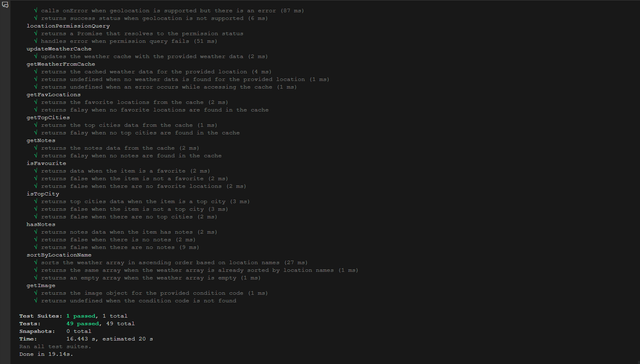
- Unit testing: Applicable functionality has been thoroughly tested.
- Modern design: The application features a clean and modern user interface.
- Minimal Dependencies: No animation libraries or UI frameworks were used in addition to only the bare minimum of external javascript libraries i.e. (axios, crypto and sass).
- Fully Responsive: Application is fully responsive on Desktop, Tab and Mobile displays.
- Typescript
- React
- HTML
- SCSS
- Jest
To install and run the Weather App using Yarn, follow these steps:
1. Navigate to the project directory,
2. Install the dependencies using Yarn: `yarn`
3. Start the development server: `yarn start`
4. Open your web browser and visit `http://localhost:3000` to access the app.
The Weather Man utilizes Jest for unit testing. To run the tests, follow these steps:
1. Make sure you have completed the installation steps mentioned above.
2. In the project directory, run the following command: `yarn test`
3. Jest will execute the tests and display the results in the console.
Style variables used throughout the app can be found in a variables.scss folder in the styles directory.
| Category | Font |
|---|---|
| Text | Karla |
| Digits | Exo 2 |