
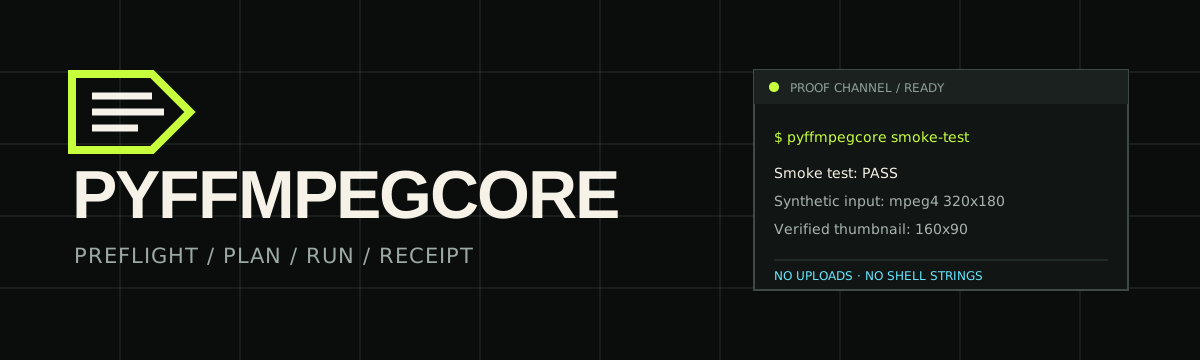
The safe, explainable FFmpeg task runner for the terminal, Python, and CI.
Make jobs reviewable before they run and verifiable after.


Documentation · Five-minute start · Measured results · Releases · CI run history · ⭐ Star on GitHub
PyFFmpegCore turns recurring FFmpeg commands into typed workflows with a capability check, a previewable argument plan, explicit execution policy, and a redacted receipt. Your media stays local. FFmpeg and FFprobe remain system dependencies.
PyFFmpegCore 0.3.3 is the current public beta.
Requires Python 3.10–3.14 and ffmpeg/ffprobe on PATH.
pipx install "pyffmpegcore==0.3.3"
pyffmpegcore doctor
pyffmpegcore smoke-test
doctor reports the installed FFmpeg build and capabilities. smoke-test
creates and verifies a small synthetic clip. See the installation guide
for other package managers and operating systems.
Node.js users can install the npm launcher; Python and FFmpeg remain required.
For example, inspect a web-compatible MP4 plan before creating the output:
pyffmpegcore profile run web/mp4-compatible \
  --input camera.mov \
  --output web.mp4 \
  --explain
When the plan looks right, execute it and save a machine-readable receipt:
pyffmpegcore profile run web/mp4-compatible \
  --input camera.mov \
  --output web.mp4 \
  --receipt web.receipt.json

pyffmpegcore probe --input web.mp4 --json
pyffmpegcore receipt validate web.receipt.json --json
Preflight checks the required encoders, filters, streams, output location, and disk space before mutation. Results include probed output facts and stable status categories. Overwrite refusal, timeout, cancellation, and temporary-file cleanup are explicit policies.
These frames come from the exact public PyPI 0.3.3 recording. The fixture and
output are synthetic and local; the full cast, accessible transcript, and
capture details show the complete run.

Frame at 39.651 seconds, before the output is written.

Frame at 64.304 seconds, after the local receipt passes validation.
- Converting to maintained web, podcast, subtitle, and accessibility profiles.
- Fitting an upload limit with target-size estimates and a minimum quality floor.
- Preserving all media streams during a remux when explicitly requested.
- Running image or mixed-media batches with receipts, retries, and resume.
- Composing validated JSON or TOML media pipelines for repeatable automation.
- Explaining missing FFmpeg capabilities before a job writes files.
The task recipes give concrete commands and limits for each workflow. The pipeline guide covers validation, visualization, resume, caching, and cancellation.
The Python API uses the same planner, preflight checks, and result types as the CLI:
import threading
from pyffmpegcore import JobStatus, WorkflowEngine

engine = WorkflowEngine()
plan = engine.planner.thumbnail("talk.mov", "poster.jpg", timestamp="00:00:03")
cancellation = threading.Event()
batch = engine.run(plan, cancellation=cancellation)

# A UI cancel callback or watchdog can call cancellation.set() from another thread.
item = batch.items[0]
if item.result.status is JobStatus.CANCELLED:
    print(item.result.stderr)
WorkflowEngine.run is synchronous. Put it on a worker thread in a responsive
application, then set the shared event to stop an active FFmpeg process. See
the Python API reference.
Evidence uses reproducible inputs and publishes the commands, probes, receipts, checksums, and limitations. For example, a public-domain Xiph VP9 clip reached 1,035,870 bytes under a 1 MiB target with a 7% overhead reserve; the default 5% reserve missed by 7,803 bytes. A separate compatibility conversion made an H.264/AAC output 78.2% larger than its VP9 input. The profile favors broader playback compatibility; smaller output is not guaranteed.
- Exact-size public-domain run
- Web compatibility replay
- Validated 64.3-second public 0.3.3 recording
- Node.js launcher on npm
- Compatibility matrix and its limits
Pipelines use typed workflows and never accept arbitrary shell strings. CI can use the digest-pinned GitHub Action. The separately maintained container channel is documented in the container guide.
PyFFmpegCore does not download or bundle FFmpeg, provide arbitrary filter-graph or frame APIs, run hosted transcoding, or sandbox hostile media. It does not upload media or enable telemetry by default. Review the security model before processing untrusted inputs.
- Signed 0.3.3 release and artifact checksums
- PyPI files and provenance
- Release and recovery procedure
- Security policy · Support · Changelog
- Architecture · Contribution guide
If this makes a media job easier to inspect or maintain, star the repository. If something fails, open an issue with the command, OS, and FFmpeg version—never attach private media or credentials.