
Documentation · Quick start · Scenarios · Performance · Support matrix · 简体中文


EmbodiRun is a deployment and execution runtime for embodied AI. Connect robot observations to a model or agent, execute its actions, and record the session. A YAML configuration describes the devices, inference services, and compute nodes, so control can run beside the robot while inference runs on a GPU host.
Use EmbodiInfer for model inference, connect an external service, or build a task loop with the Agent client.
| VLA · Manipulation | VLN · Navigation | Agent · Mobile manipulation |
|---|---|---|
 |
 |
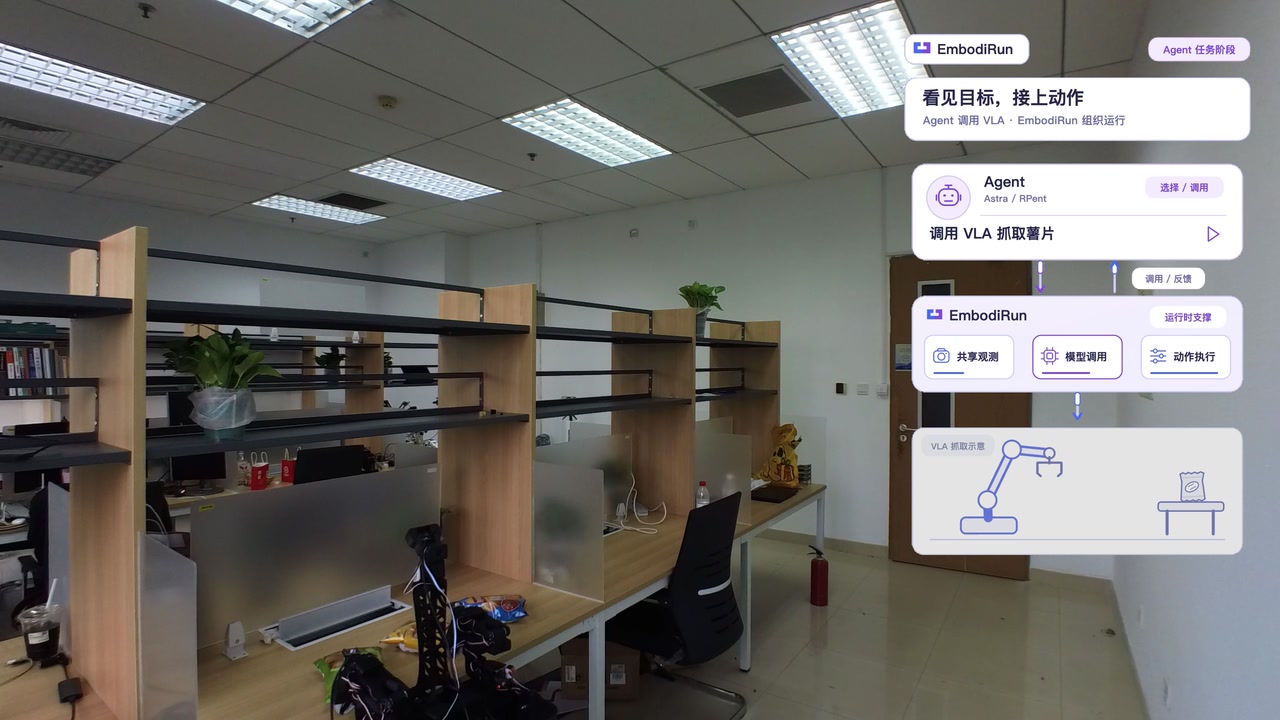 |
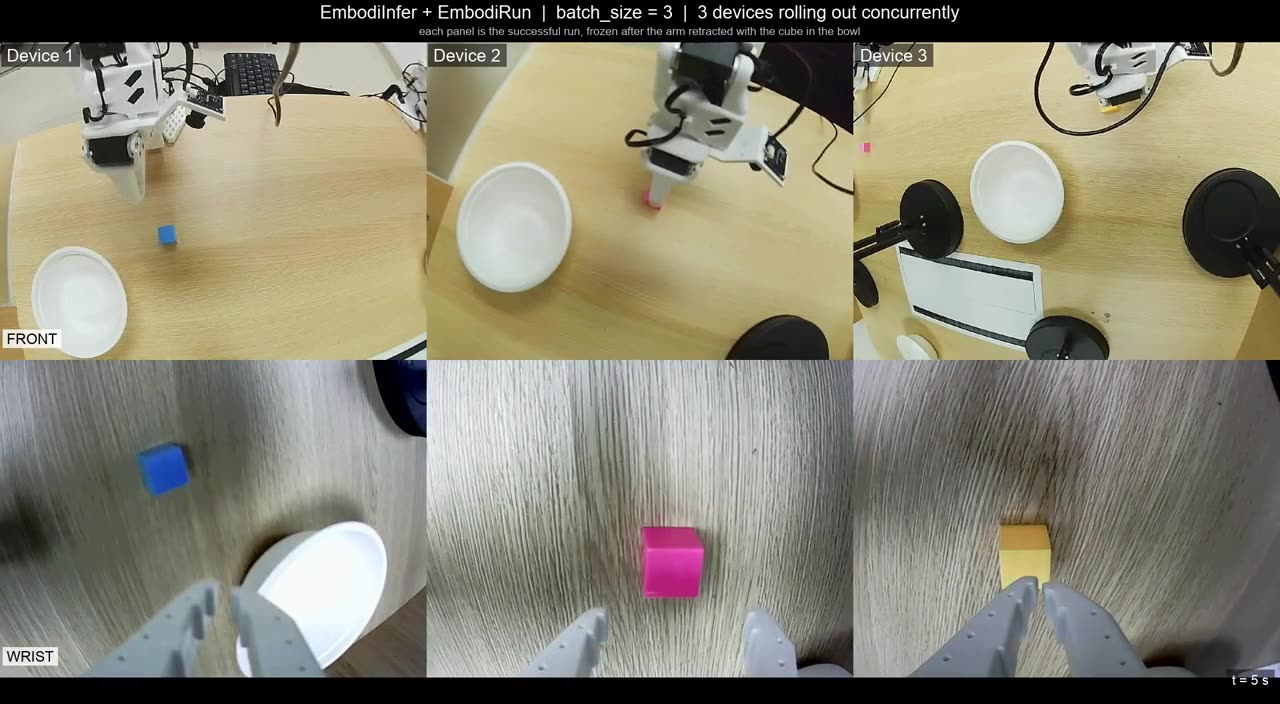
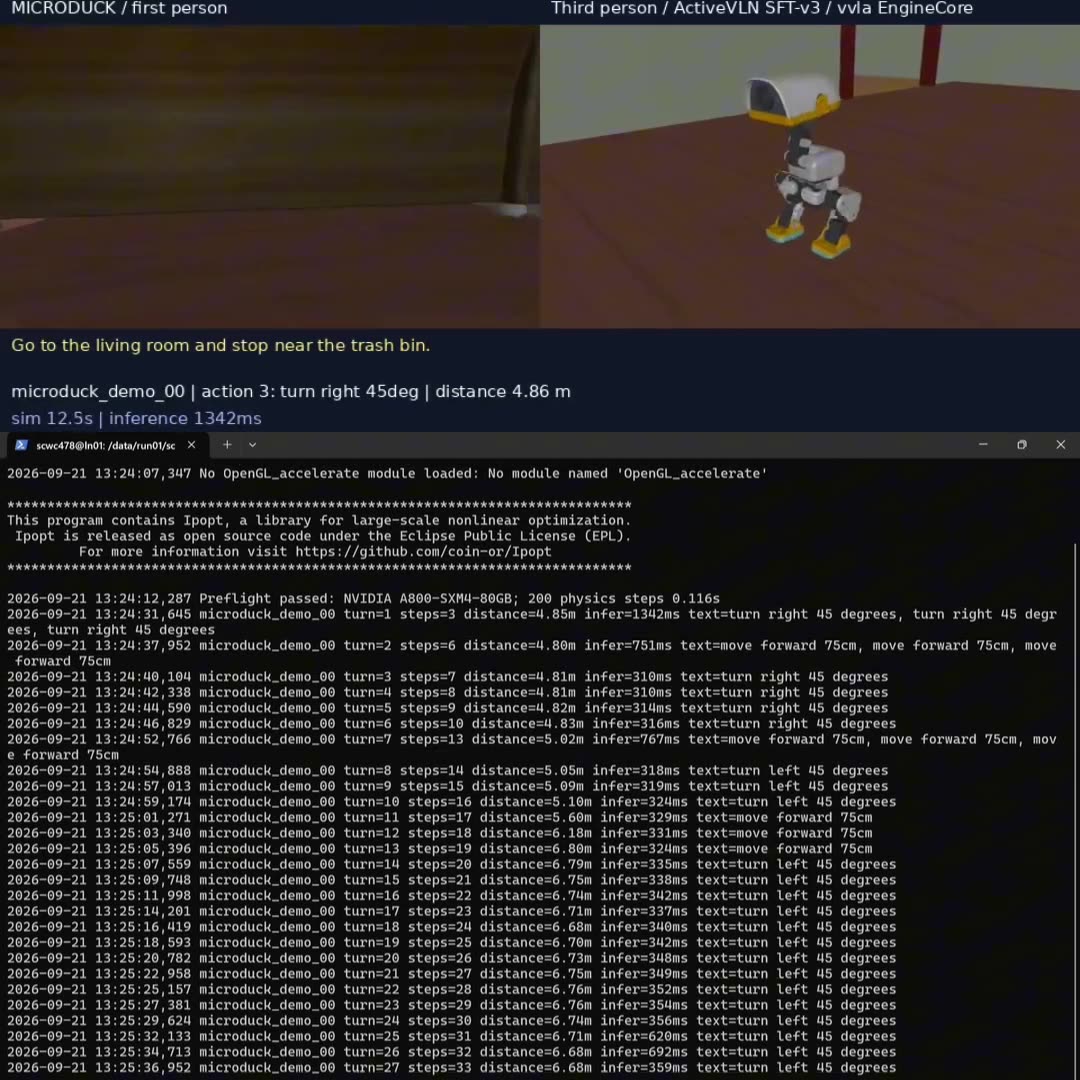
| SO-101 + π0.5: pick up a cube and place it in a bowl using camera images and joint state. | MicroDuck + ActiveVLN: follow a language instruction through a MuJoCo scene. | Mobile base + SO-101 arms: combine recorded routes, RPent/Astra scene review, and VLA grasping to deliver a snack under operator supervision. |
| Watch and learn · Recipe | Watch and learn · Recipe | Workflow and architecture · Recipe |
Explore Recipes for multiple arms, alternative inference
backends, and software-only examples. The support matrix
lists robot, simulator, and model integrations.
Recipes use the shared embodirun example CLI; examples/run.sh remains a
compatible entrypoint for source checkouts.
| Feature | What you can do |
|---|---|
| Deploy across machines | Describe nodes, environments, devices, and model services in YAML; let Host prepare and launch the deployment. |
| Share inference across robots | Run independent sessions and control loops against one model service, with optional π0.5 cross-session batching. |
| Choose your transport | Connect through HTTP or WirelessComm with versioned observation/action contracts and consistent session and step handling. |
| Observe, execute, and record | Reuse camera and state snapshots across agents, inference, and recording; validate actions and coordinate execution with manual takeover. |

Model services produce predictions; agents choose task steps. EmbodiRun connects both to the robot through shared observations, policy proposals, execution jobs, and session recording. This lets the same application work with different devices and service placements.
| Component | Role |
|---|---|
| EmbodiRun | Service deployment, robot and simulator observations, session coordination, action validation, execution, and recording. |
| EmbodiInfer | Checkpoint loading, model inference, optimization, batching, and multi-GPU execution. |
| WirelessComm | Optional transport for communication between control and inference services. |
| RPent / Astra / your agent | Task planning and scene review through the Agent client. |
See Architecture for the service layout and the Agent workflow for application integration. Runtime responsibilities and costs compares this scope with LeRobot and ROS 2 and identifies the deployment measurements still needed.

| Engine | Transport | Inference latency | Full chunk time |
|---|---|---|---|
| EmbodiInfer | WirelessComm | 162 ms | 2,660 ms |
| EmbodiInfer | HTTP | 170 ms | 2,666 ms |
| SGLang | HTTP | 194 ms | 2,713 ms |
| Native LeRobot | HTTP | 1,061 ms | 3,592 ms |
SO-101 grasping on Jetson AGX Thor: the same checkpoint, two cameras, 10 denoising steps, and 50-step chunks at 20 Hz; medians over 15 chunks per run. EmbodiInfer uses BF16, Inductor, CUDA graphs, and Triton attention; SGLang uses upstream defaults and LeRobot uses eager execution.
In this configuration, EmbodiInfer with WirelessComm reduces the full chunk time by about 26% compared with native LeRobot. Action playback accounts for about 2.45 seconds of each chunk.
Conditions and timing breakdown · Summary data and chart generator · HTTP / WirelessComm measurements · Model inference benchmarks
When testing an unmerged PR, check out its head branch before installing;
the default main checkout does not include that PR's changes.
Install from source with Python 3.10+ and uv 0.12.x:
git clone https://github.com/BUAA-CI-LAB/EmbodiRun.git
cd EmbodiRun
uv sync --frozen
uv run python examples/run_shared_device_fake.py
The example starts a local Control service with simulated joints and a fake camera, walks through observation, execution, recording, and cancellation, then shuts down. It runs on a laptop without a robot, checkpoint, or GPU.
Choose a Recipe for environment setup, configuration, launch commands, outputs, and shutdown:
- VLA: SO-101 grasping.
- VLN: MicroDuck navigation in MuJoCo.
- Agent: XLeRobot snack delivery with RPent/Astra.
- Variants: Shared inference, other backends, and software examples.
For a first Recipe rehearsal, use Python 3.12 and the unified CLI:
uv sync --frozen --python 3.12
uv run --frozen embodirun example init xlerobot
CONFIG=examples/local/xlerobot/example.local.yaml
uv run --frozen embodirun example "$CONFIG" validate
uv run --frozen embodirun example "$CONFIG" plan
uv run --frozen embodirun example "$CONFIG" setup --mode software
uv run --frozen embodirun example "$CONFIG" check --mode software --json
uv run --frozen embodirun example "$CONFIG" dry-run
This XLeRobot rehearsal uses fixtures and opens no robot or model. Use the
printed Outputs: directory for run.json and command logs; see
outputs and shutdown.
MicroDuck starts with init → validate → plan → setup --mode software →
check --mode software --json; this checks configuration and installed metadata
without scene assets or a GPU. Native setup and Docker use its dedicated Recipe
lock. Default setup/check mode remains simulation: plain simulation check
uses CUDA/EGL and external assets, while its JSON form checks metadata and local
paths. Follow the MicroDuck Recipe before run,
then use its logs and down instructions. Software checks do not establish
model inference or navigation success.
For an existing coding Agent, follow independent first use and the Agent workflow. Record actual commands, missing prerequisites and help received; a document review alone is not a run.
The deployment quick start explains the CLI and YAML configuration. Before enabling robot motion, complete calibration and read the hardware safety guide.
| Looking for | Start here |
|---|---|
| Installation and deployment | Installation · Quick start · Configuration |
| Application integration | Independent first use · Agent workflow · Inference API · Python API |
| Complete task instructions | Recipes |
| Deployment templates | configs/ |
| Measurements and results | benchmarks/ · Runtime costs |
| Supported and planned integrations | Support matrix and roadmap |
The roadmap covers additional robot Recipes, an automatic data-collection workflow, SmolVLA and OpenVLA integration, and deployment and scaling benchmarks.
See CONTRIBUTING.md for development setup and checks. Use GitHub issues for bugs and feature requests, and follow SECURITY.md for private vulnerability reports. Community participation follows our Code of Conduct.
Apache-2.0. See LICENSE, NOTICE, and third-party notices. Model weights, datasets, robot SDKs, and simulators retain their own licenses.