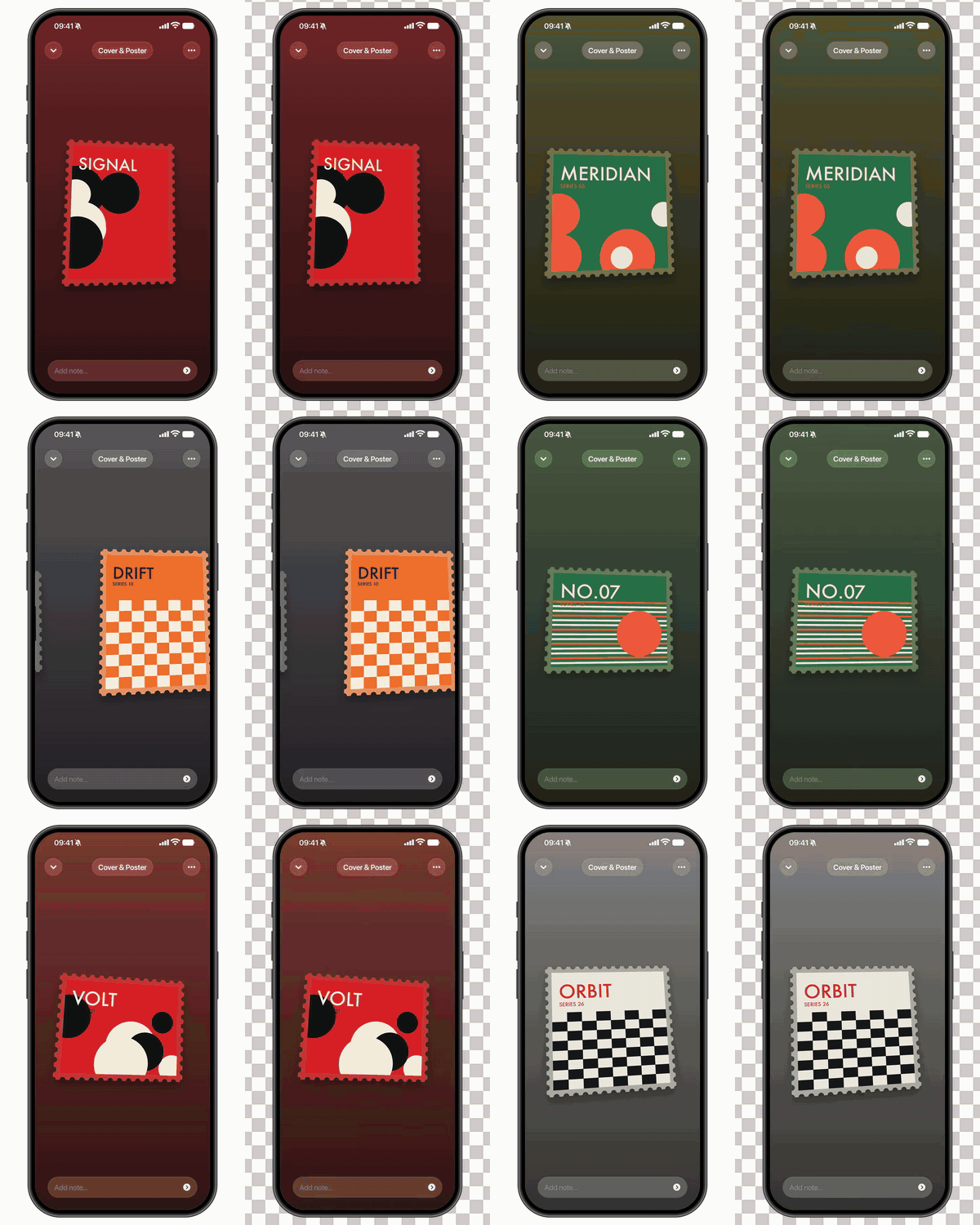
An iPhone mockup swipes through your pictures. Each picture is a perforated postage stamp with a slight 3D tilt, and the screen's gradient changes to that stamp's colour on every swipe. The timing, swipe curve, colour change, tilt and UI were measured frame by frame from a reference clip.
- 1080×1350, 30 fps. The default reference rhythm runs about 13.4 s for 26 pictures.
- Two variants: with a background (MP4) and with a transparent background (ProRes 4444 / WebM VP9 / HEVC with alpha).
- No AI calls and no credits. It renders locally with Python (Pillow + numpy) and ffmpeg.
This template is a local Python tool, not a
.tsxvarg SDK render. It needs noVARG_API_KEY.
- Put pictures in
images/. They play in filename order (01.jpg,02.jpg, …). Any aspect ratio works; 3:4, 1:1 and 5:4 look like the reference. - Double-click
make.commandon macOS, or runbash make.command. - Collect the results from
out/:
| file | what |
|---|---|
stamp-carousel.mp4 |
phone on a page background (page_bg) |
stamp-carousel-alpha.mov |
transparent background, ProRes 4444: Premiere, Final Cut, After Effects, DaVinci |
stamp-carousel-alpha.webm |
transparent background, VP9: web, Chrome |
stamp-carousel-alpha-hevc.mov |
transparent background, HEVC (macOS only): Keynote, Safari, iMovie; small file |
Run preview.command to render two stills (a card at rest and a mid-swipe frame) and check colours without a full render.
Put an audio.mp3, audio.m4a or audio.wav next to make.command and it is muxed under the video.
No pictures yet? Run python3 engine/make_demo_cards.py images --count 12 to make abstract placeholder posters.
Requirements: ffmpeg (brew install ffmpeg) and Python 3. On first run make.command sets up Pillow and numpy in engine/.venv if they are missing. A full 26-card render with all four outputs takes about 1.5 min on an M-series Mac.
| key | meaning |
|---|---|
title, placeholder, time |
pill text, note-field placeholder, status-bar clock |
variant |
bg: background only; alpha: transparent only; both |
page_bg |
page colour around the phone in the bg variant |
alpha_formats |
which transparent files to write: mov, webm, hevc |
timing |
reference: the original rhythm (speeds up from 0.7 s to 0.47 s per card); uniform: hold seconds per card |
border |
stamp margin: auto (from the picture's edge), none or #hex |
overrides |
per picture, by filename: bg (screen colour), note (text in the note field), border, rot (tilt in degrees) |
"overrides": { "03.jpg": { "bg": "#1e4c88", "note": "Experimental typography" } }The screen colour comes from the picture's edge colour. Set bg by hand when the edge does not match the main colour, such as white margins around a red poster.
python3 engine/render.py images -o out/stamp-carousel.mp4 --variant both --alpha-formats mov,webm
python3 engine/render.py images --still 31 --variant alpha -o frame.png   # one RGBA frame
python3 engine/render.py --help
Every measured number (swipe curve, card geometry, gradient, UI tint) lives in engine/preset.json.