This guide takes you from a fresh clone to shipping your first feature. No prior experience with this stack is assumed — follow it top to bottom.
What you'll build along the way: a "notes" feature — users can create and see their own notes, stored in Firestore, with everything secured properly.
The app has two halves plus a shared Firebase project:
frontend/— a Next.js website. Pages live infrontend/src/app/. Most pages render on the server (fast, secure); interactive parts run in the browser.backend/— an Express API deployed as one Firebase Cloud Function. You only need it for logic that shouldn't live in the frontend (webhooks, heavy processing, third-party API calls with secrets). Many features never touch it.- Firebase — handles sign-in (Auth) and the database (Firestore). There's no local emulator — dev, staging, and production all talk to real Firebase projects (use a separate free project for local dev so you're not testing against production data).
See the diagrams in ARCHITECTURE.md for how these connect.
The three golden rules (everything else follows from these):
- Never trust the browser. Every data access is checked server-side — Firestore security rules,
requireAuth()in Server Actions, or the API's auth middleware. - Server Components by default. Only add
'use client'to a file when it needs clicks, typing, or live updates. - One collection, four places. Every Firestore collection gets: a TypeScript type, a typed collection export, security rules, and a schema doc entry. The
/firebase-collectionskill does all four for you.
Install once:
| Tool | How |
|---|---|
| Node.js 22 | nodejs.org |
| pnpm | npm install -g pnpm |
Then from the repo root:
pnpm run bootstrapThis installs dependencies, creates the root .env from the template, and generates the per-package env files.
Or let Claude do all of it: open the project in Claude Code and run
/bootstrap. It checks prerequisites, walks you through creating a free Firebase project, handles the known failure modes, and finishes with a verified sign-up → session → dashboard smoke test.
All env values live in one file: the root .env. (frontend/.env.local and backend/.env are generated from it — never edit those.)
- Create a project at console.firebase.google.com — the free Spark plan is enough, no billing required
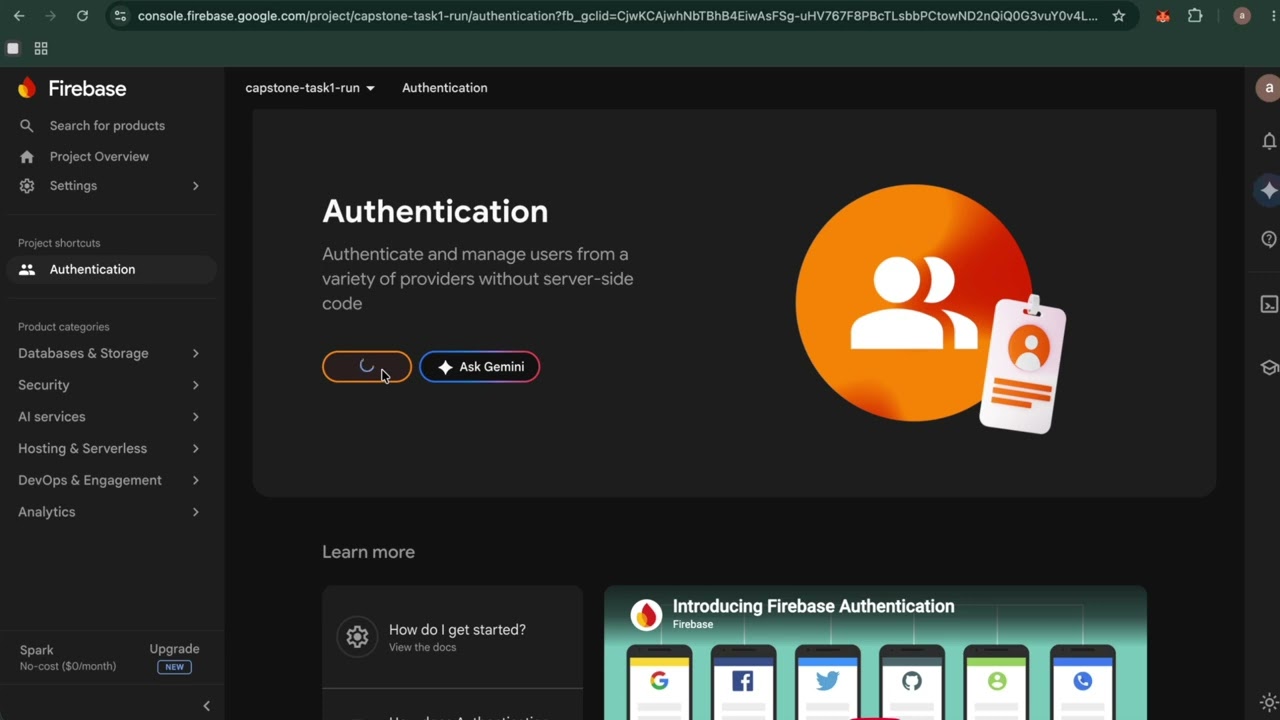
- Enable Authentication (Email/Password + Google) and create a Firestore database
- Project settings → Your apps → add a Web app → copy each
firebaseConfigvalue into.env(the variable names match:apiKey→NEXT_PUBLIC_FIREBASE_API_KEY, etc.) - Project settings → Service accounts → generate a private key → base64-encode it (macOS:
base64 -i service-account.json | tr -d '\n'; Linux:base64 -w 0 service-account.json) → paste intoFIREBASE_SERVICE_ACCOUNT_KEY_BASE64in.env - Set
NEXT_PUBLIC_FIREBASE_PROJECT_IDin.envand put the same id in.firebaserc(replacing the placeholder)
After changing anything in .env, run pnpm run env:sync (or just restart pnpm run dev — it syncs automatically).
pnpm run devIf you are still having problems you can also try this copy and paste guide COPY-PASTE-SETUP.md
Create an account via the sign-up page and check the Firebase console (Authentication → Users, and Firestore Database) — you'll see your user and their users/{uid} Firestore document appear. That round trip is the whole stack working.
- COPY-PASTE-FEATURE.md — Part 2, pure copy-paste, no AI: build the feature, branch, commit, PR
| I want to… | Put it in… | Skill |
|---|---|---|
| Add a page | frontend/src/app/(dashboard)/… or (auth)/… |
/new-page |
| Add a business feature | frontend/src/features/{name}/ |
/new-feature |
| Add a reusable component | frontend/src/components/shared/ |
/new-component |
| Add a database collection | types + firestore.ts + rules + schema doc | /firebase-collection |
| Change a collection's fields | (guided migration) | /evolve-schema |
| Add an API endpoint | backend/src/routes/ |
/add-route |
| Add a config value | .env.example + docs/ENV-VARS.md |
/add-env-var |
| Add Google/GitHub/Apple sign-in | frontend/src/lib/firebase/auth.ts + button |
/add-auth-provider |
| Symptom | Cause & fix |
|---|---|
auth/invalid-api-key on startup |
NEXT_PUBLIC_FIREBASE_* values are empty in the root .env. Paste them from the Firebase web app config, then restart the dev server (it re-syncs env automatically). |
| "Firebase web config is incomplete" on Vercel | A NEXT_PUBLIC_FIREBASE_* env var is missing in Vercel's project settings. Add it (same name as your root .env), then redeploy — Vercel doesn't retroactively apply new env vars to existing deployments. |
| Changed an env var, nothing happened | Edit the root .env (not the generated files), then restart pnpm run dev — NEXT_PUBLIC_* values are baked in at startup. |
Edited frontend/.env.local or backend/.env and it got overwritten |
Those files are generated. Make the change in the root .env instead. |
| "Missing or insufficient permissions" from Firestore | Your security rules don't allow the read/write. Add rules for the collection in firebase/firestore.rules, then deploy them: npx firebase-tools deploy --only firestore:rules. |
Invalid project id: REPLACE_WITH_... |
Set your real project id in .firebaserc. |
Imported firebase/firestore in a page and it crashed |
Client SDK in a Server Component. Use @/lib/firebase/admin on the server, or move the code into a 'use client' component. |
Hook/useState error in a page |
The file needs 'use client' at the top — or better, move the interactive part into its own small Client Component. |
| Commit rejected | The message isn't Conventional Commits format. Use feat: …, fix: …, docs: … etc. |
More troubleshooting lives in the README.
Local dev talks to your Firebase project already — going live just means putting the frontend somewhere public. Deploy to Vercel (free, no billing account needed): sign in with GitHub, Add New Project, import this repo, set Root Directory to frontend, then add the environment variables listed — Vercel doesn't read your root .env file, so each variable has to be added manually under the same name it has there. For a step-by-step walkthrough, see DEPLOY-TO-VERCEL.md.
- COPY-PASTE-SETUP.md — Part 1, pure copy-paste, no AI: install, connect Firebase, run
- COPY-PASTE-FEATURE.md — Part 2, pure copy-paste, no AI: build the feature, branch, commit, PR
- DEPLOY-TO-VERCEL.md — step-by-step guide to taking your app live on Vercel
- garage-boilerplate-guide.pptx — slide deck covering the whole system, including how the AI tooling fits in
- notes-feature-tutorial.pptx — this walkthrough as a slide deck, one step per slide
- ARCHITECTURE.md — diagrams and the reasoning behind the design
- FRONTEND.md / BACKEND.md — per-package conventions
- DESIGN.md — colors, typography, component patterns
- SECURITY.md — the full security model, layer by layer
- TESTING.md — what to test and how
- GIT-WORKFLOW.md — branches, merges, releases
- CI-CD.md — deployment in full: Vercel, Firestore rules, the optional backend